


Tyver Spy Tool For FB & IG: Free Plan, Subscription Costs & 15% Off Promo
These accounts are authenticated and verified as real profiles, helping you reach a genuine audience.
Learn more about Verified
5.0
- Starting at $0
TYVER is a Facebook and Instagram ad spy tool that indexes published ads for competitor research and creative analysis. For an iGaming buyer, the practical question is whether the database exposes relevant game creatives in a target GEO and enough context to form a testable angle. It shows published ads and landing URLs; it does not reveal a rival’s FTDs, CPA, or ROI.
The review began on Free to inspect access limits and in-app pricing. A follow-up Team check repeated Chicken Road search without a GEO or activity threshold, inspected sorting and an ad card with Similar ads, opened Webmasters records, and checked media-processing settings. Campaign outcomes, API requests, and generated media variants were not tested.
What TYVER shows and what it does not
Ad search is the main view for finding competitor ads and iGaming creatives. It combines keywords, GEO, dates, activity, format, CTA, placement, Fan Page, domain, and URL text. Dedicated iGaming fields add game, provider, game type, and angle. Webmasters group ads around shared technical identifiers.
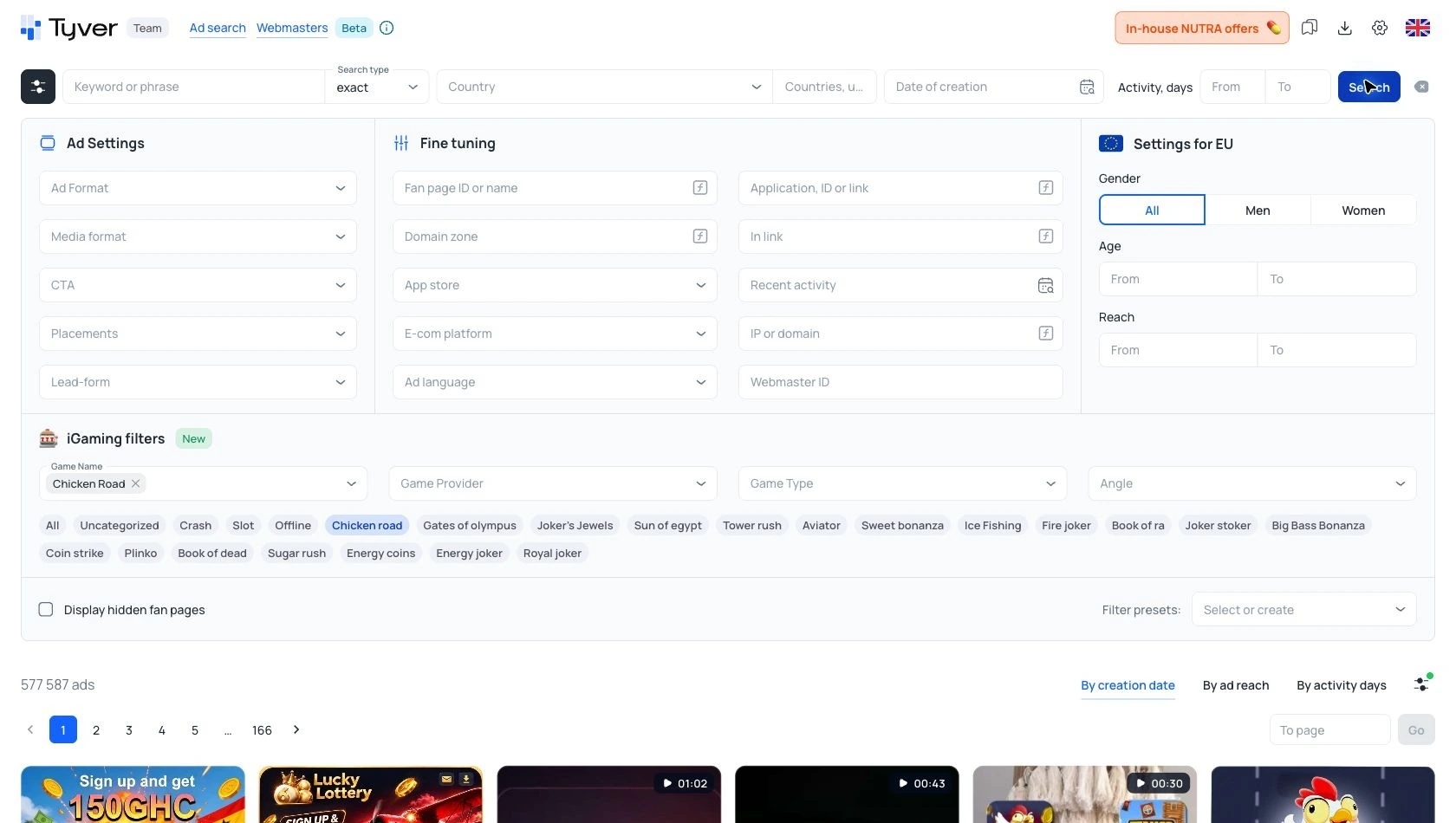
Figure 1. On Team, the Chicken Road game filter alone returned 577,587 indexed ads; no GEO or activity threshold was set.
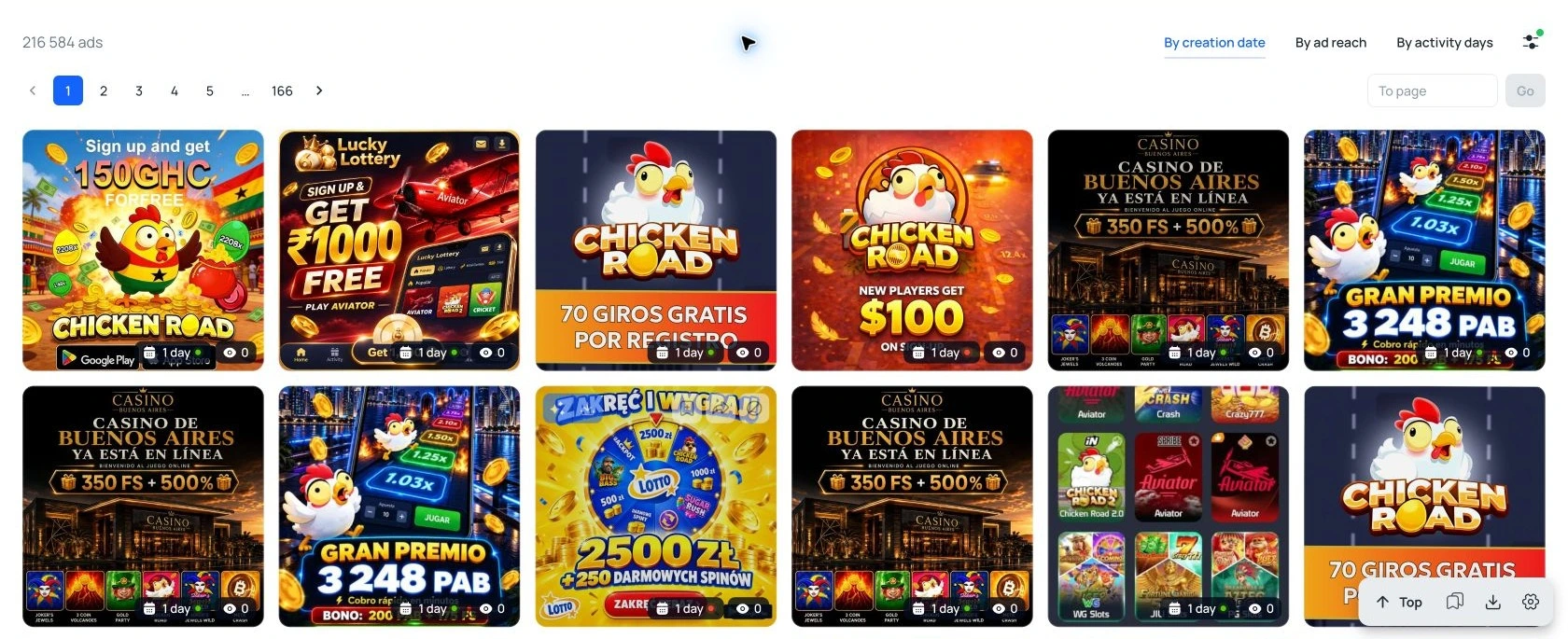
Figure 2. Image-format Chicken Road results on Team show creative variants, not campaign outcomes.
TYVER claims coverage across 140+ countries and 91%+ of Facebook ads. These are vendor figures, not independently audited measurements. The useful test is whether the index contains recent ads for the buyer’s game, GEO, and funnel. Other verticals were not assessed in this review.
How TYVER search works for iGaming
At the top, a buyer can enter a phrase, choose Exact or Broad, set a GEO, and narrow by creation date or activity days. The dedicated iGaming controls add game name, provider, game type, and angle. Each match is a lead for inspection, not proof of a winning offer.
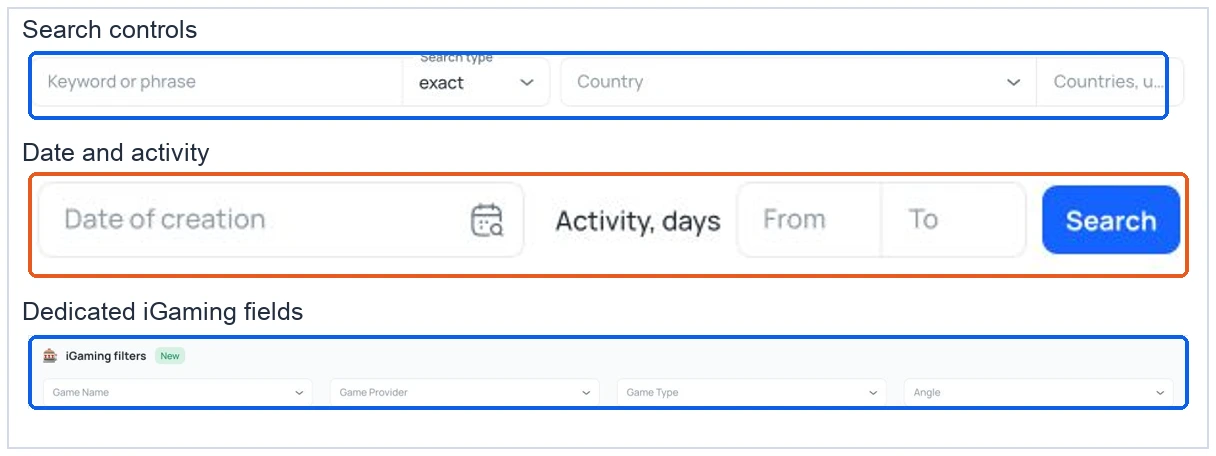
Figure 3. Search type, GEO, dates, and dedicated game fields sit in one filter panel.
Exact and Broad: two ways to search
TYVER describes Exact as phrase matching and Broad as matching entered words separately with morphology. Exact suits a named game or offer phrase. Broad can reveal variant wording, but the wider feed needs manual checks. No iGaming result-count comparison was run for these modes.
| Mode | Useful for | Watch for |
|---|---|---|
| Exact | Named game or offer phrase | Variant wording may be missed |
| Broad | Related language and angles | Larger feed needs manual relevance checks |
After narrowing the feed, sort by creation date for recent launches, by activity days for persistent creatives, or by ad reach where data is available. The day and reach badges are platform signals; they do not show registrations, FTDs, or ROI.
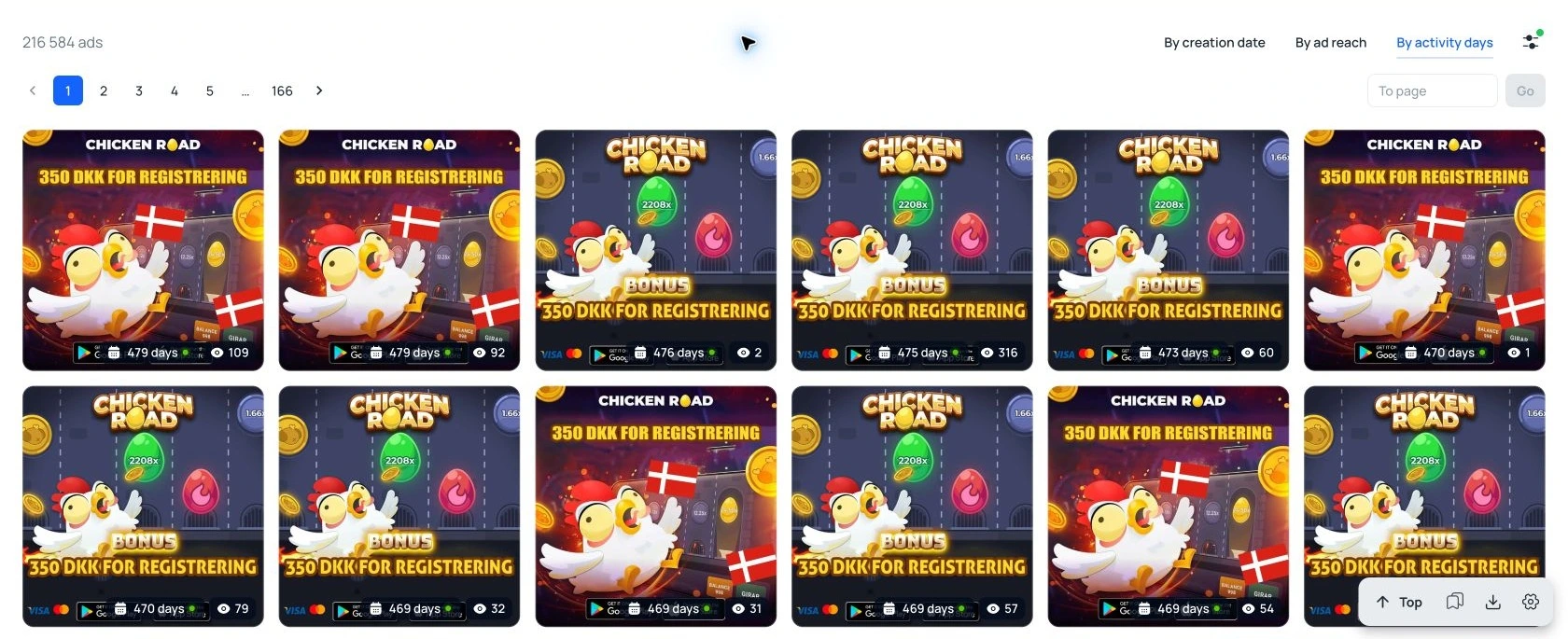
Figure 4. Chicken Road image results sorted by activity days on Team; ad duration does not establish ROI.
What the ad card shows
The card connects a creative to its destination and Meta source links. Similar ads was gated on Free but available in the Team check. Reach and demographic fields in the interface apply only to EU ads.
| Card field | What it answers | Limit |
|---|---|---|
| Creative and copy | Hook, claim, and format | Published ad, not campaign performance |
| CTA and target URL | Funnel destination | Redirects can change |
| Meta source links | Original ad and Fan Page | Source ad may disappear |
| Similar ads | Fan Page, domain, IP links | Pro gate on Free in the test |
| EU statistics | Reach, gender, age where available | EU ads only in the interface |
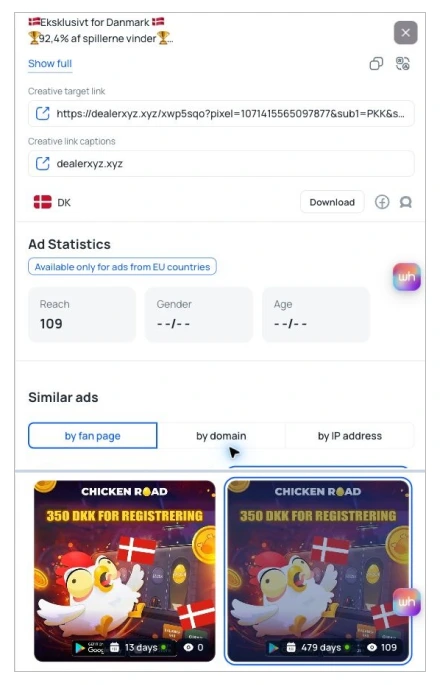
Figure 5. Two views of a Team ad card show its destination link, EU-only reach, and accessible Similar ads by Fan Page.
Five-step iGaming research workflow
Step 1: Set Search Parameters
Select the target GEO and enter a game, provider, or offer phrase. Use Exact for a named title; switch to Broad to discover adjacent wording.
Step 2: Filter Initial Results
Check the result count and sample recent ads. Remove irrelevant offers and duplicate creative variants before drawing conclusions.
Step 3: Extract Core Data
Sort by activity days. Open a small sample and record the hook, format, CTA, landing domain, and first-seen date.
Step 4: Trace Campaign Source
Open the source ad in Meta’s Ad Library. Search the Fan Page, domain, or a distinctive URL fragment for related campaigns.
Step 5: Formulate Test Hypotheses
Turn recurring hooks into test hypotheses. Treat an ad’s duration as a lead, never as proof of FTD volume or ROI.
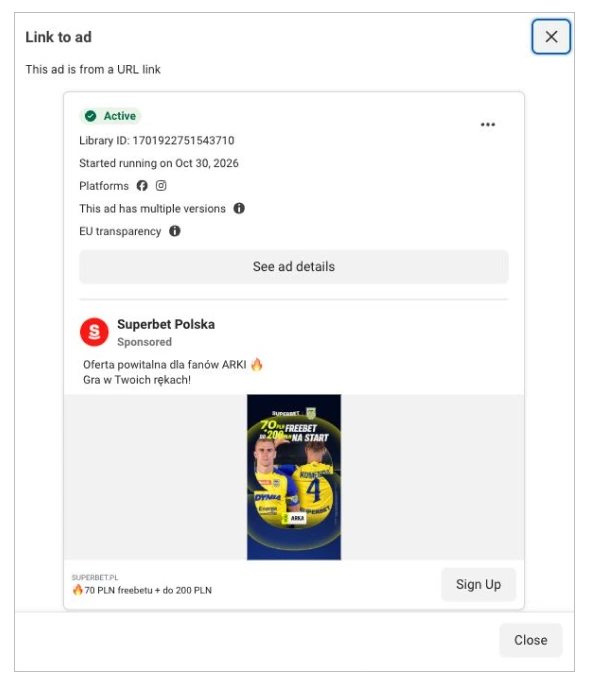
Figure 6. Meta’s Ad Library shows the Superbet Polska ad, Library ID, start date, and original Polish copy.
TYVER Filters for iGaming Ad Research
The filter panel becomes useful when each field answers a specific research question.
| Research question | Filters | Limit |
|---|---|---|
| Find game ads | Game, provider, type, angle, GEO | A match does not prove offer identity |
| Find recent runs | Creation date, activity days | Duration is not ROI |
| Compare creatives | Format, aspect ratio, CTA, placement | Format does not reveal conversion |
| Trace a funnel | Fan Page, domain, IP, In link | Shared identifiers need verification |
| Inspect audience | EU age, gender, reach | EU ads only in the tested interface |
The “In link” field can locate destination URLs containing a distinctive domain or campaign fragment. It is useful for tracing a funnel after a creative is found. A text match is a lead, not proof that the ads share one owner; tracking parameters may be reused or changed.
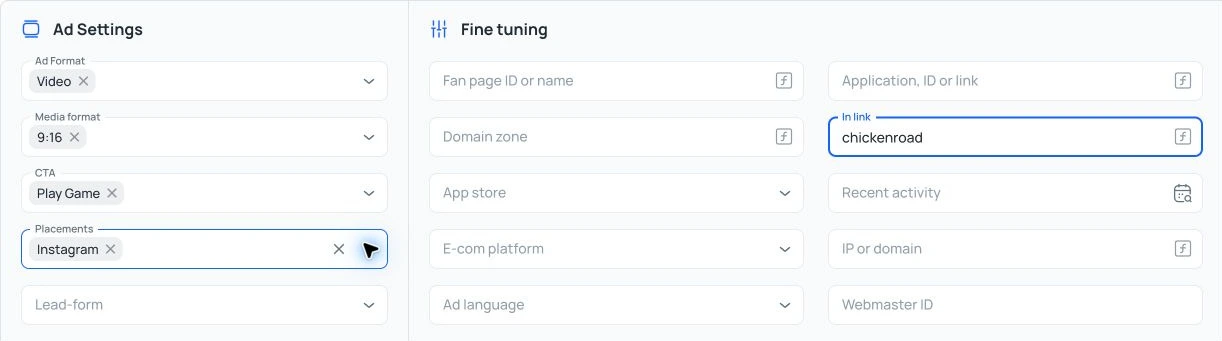
Figure 7. The In link field checks a URL fragment while format, ratio, CTA, and placement narrow the ad feed.
Webmasters beta: a second way to map competitors
Webmasters is a separate beta view for tracing advertiser infrastructure. It accepts a pixel, domain, or Fan Page; the tested screen showed iGaming as its category. A record groups Fan Page IDs, Pixel IDs, domains, and IPs with total, active, stopped, and “Top” ad counts. The identifiers can reveal a cluster worth checking, but shared infrastructure does not establish legal ownership.
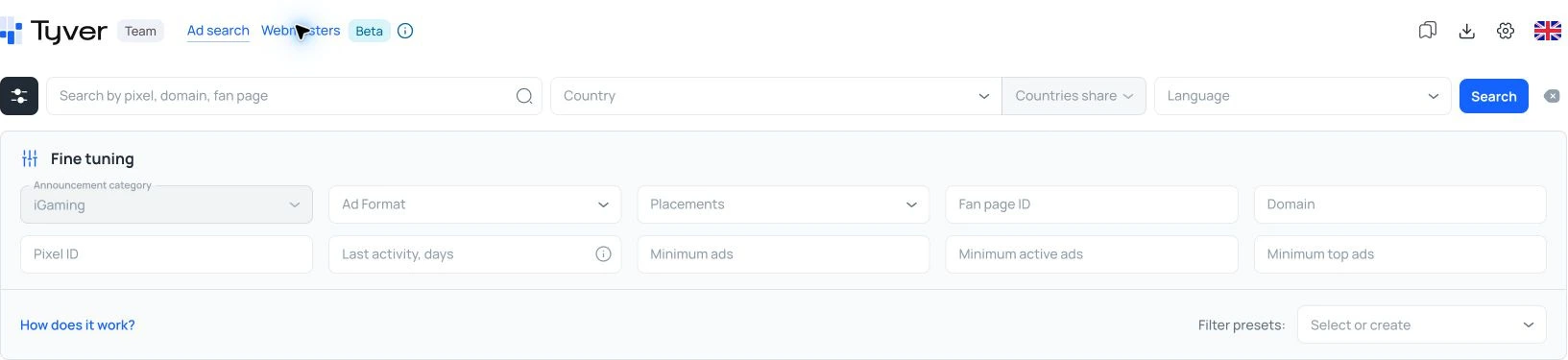
Figure 8. Webmasters beta searches by pixel, domain, or Fan Page and offers iGaming, format, placement, and activity filters.
A visible group labelled goldenrichclub.shop · diamond drift showed about 40,000 total ads and 786 active ads, plus 40 Pixel IDs, 509 domains, and 402 Fan Page IDs. These are TYVER’s platform counts at one point in time. The “Top” label does not disclose revenue or ROAS.
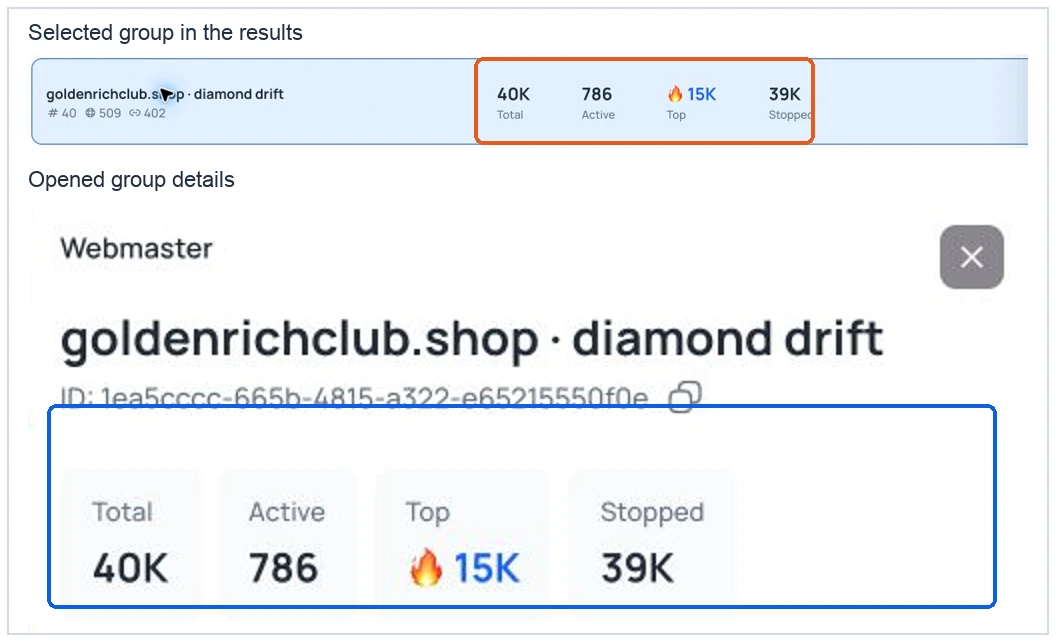
Figure 9. Webmasters beta groups ads and identifiers in one card. The highlighted counts are research leads, not revenue metrics.
In a later Team check, opening that record showed updated summary counts and top GEOs. Expanding Domains exposed the underlying 514-domain list; the earlier Free check had shown a Pro gate.
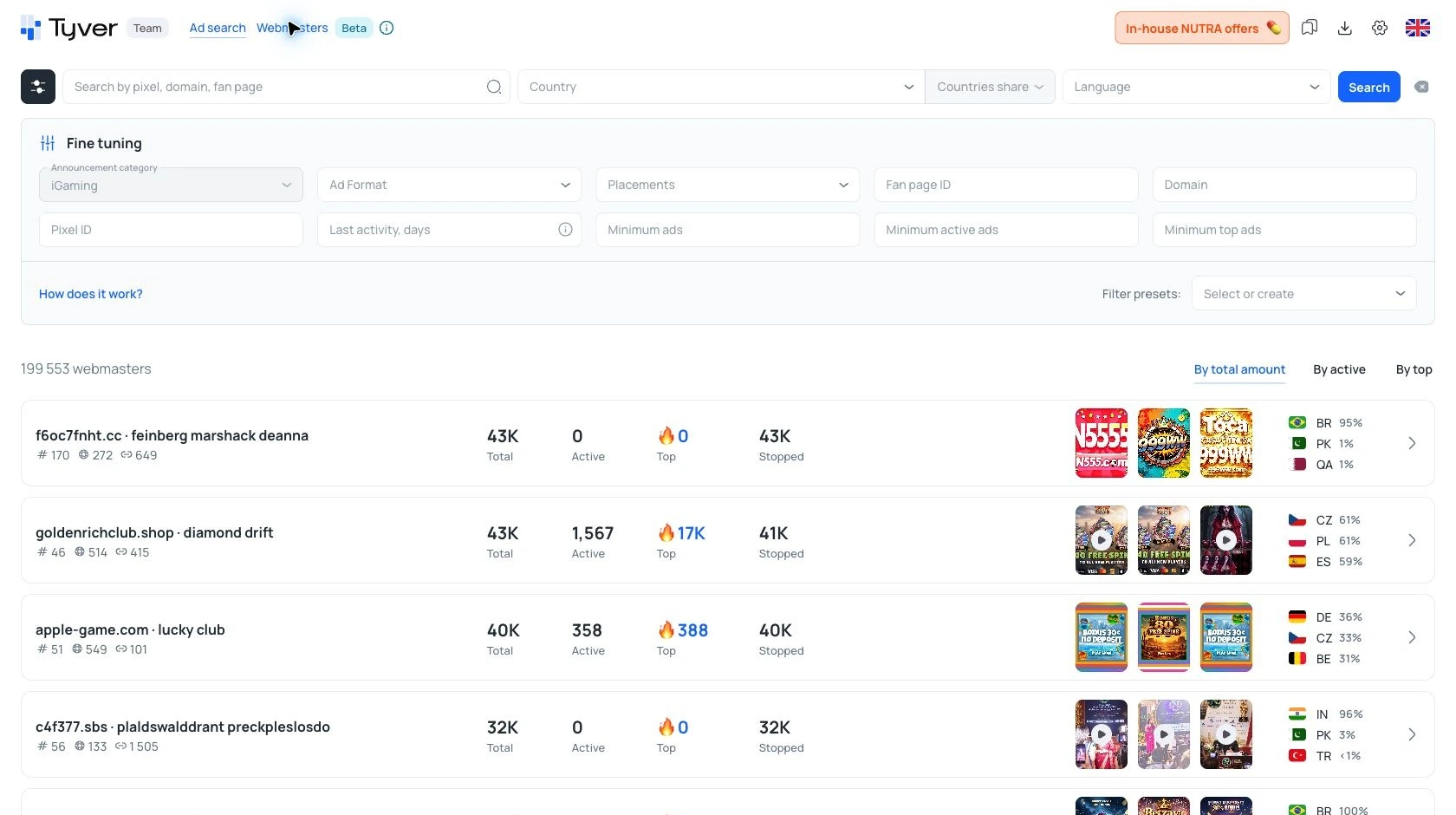
Figure 10. Webmasters on Team shows iGaming filters, advertiser counts, GEOs, and creative previews.
TYVER Media Processing, Favorites, and API
Media processing and translation
The ad card exposes four actions:
Copy or translate ad text
Controls visible, output not tested
Download media
Control visible, export not tested
Save Favorites
Listed on Pro, not exercised
Process media
Team opened rotation, cropping, and copy-count settings; no variant was generated
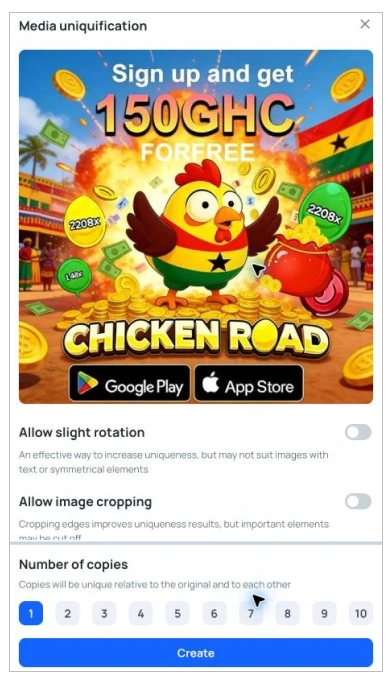
Figure 11. Team opens media-uniquification settings for a Chicken Road creative, including rotation, cropping, and copy count; no variant was generated.
Favorites and team workflows
Pro pricing includes saved Favorites. The team lists three seats in the app, a shared 60,000-view monthly allowance, member-level view limits, and $5 per extra seat. Folder sharing, member management, and enforcement of those limits were not tested.
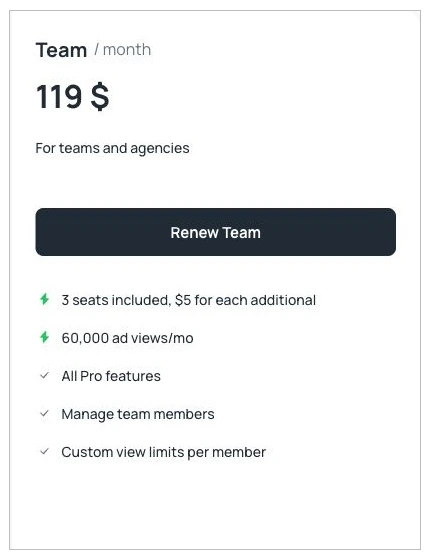
Figure 12. The Team monthly plan card shows three included seats, 60,000 ad views per month, and view limits per member.
Public API for repeat research
Account → API shows documentation and a key-generation form on Free. No key was created, and no request was sent in this review. TYVER’s October 2026 guide says API access requires Pro or Team and uses the same monthly ad-view allowance as the web app. It documents GET /info/me, GET /creatives/, and GET /creatives/{provider_id}, plus blacklist endpoints.
A team could schedule searches for known domains or Fan Pages and review new creative IDs. That requires a maintained script and paid allowance; occasional research is simpler in the interface. TYVER says an issued key can be copied only once. Access and request limits should be checked in the current API documentation.
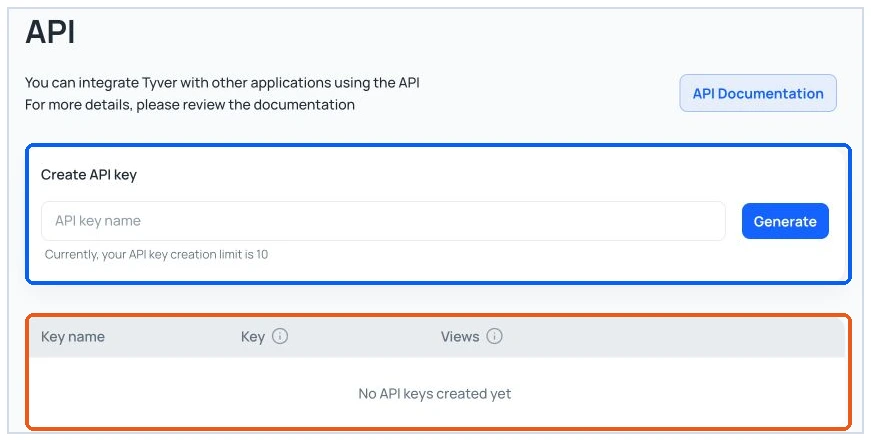
Figure 13. The API settings page in the tested Free account. No key was generated or exposed.
TYVER Pricing: Plans, Annual Billing, and Free Limits
The in-app pricing screen was checked on November 2, 2026. Prices and allowances may change.
| Plan | Monthly | Annual bill | Allowance and access |
|---|---|---|---|
| Free | $0 | — | Basic search; related-ad gate in the test |
| Pro | $79 | $569 | 30,000 views; full details, Favorites, media tools, API listed |
| Team | $119 | $857 | 60,000 shared views; three app seats; member limits |
The app advertises up to 20% off for six months and up to 40% off for twelve months. On top of that, promo code 15M gives 15% off any plan on the first payment. A view allowance limits usage, not database size. The test did not establish how each search consumes that allowance. The app says Team has three seats, while the public page lists two team members, apparently alongside the owner; confirm the seat count before purchase.
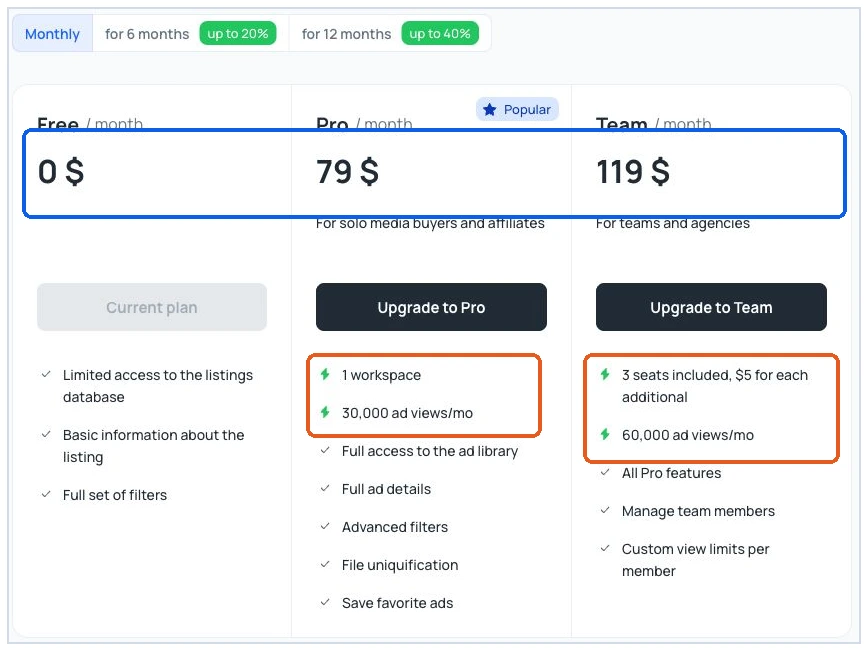
Figure 14. Monthly pricing in the TYVER account, including the 30,000/60,000 monthly view allowances and the three-seat Team description.
The 12-month billing screen showed $569 for Pro and $857 for Team. These are annual charges; the relevant comparison is the buyer’s likely research volume over twelve months.
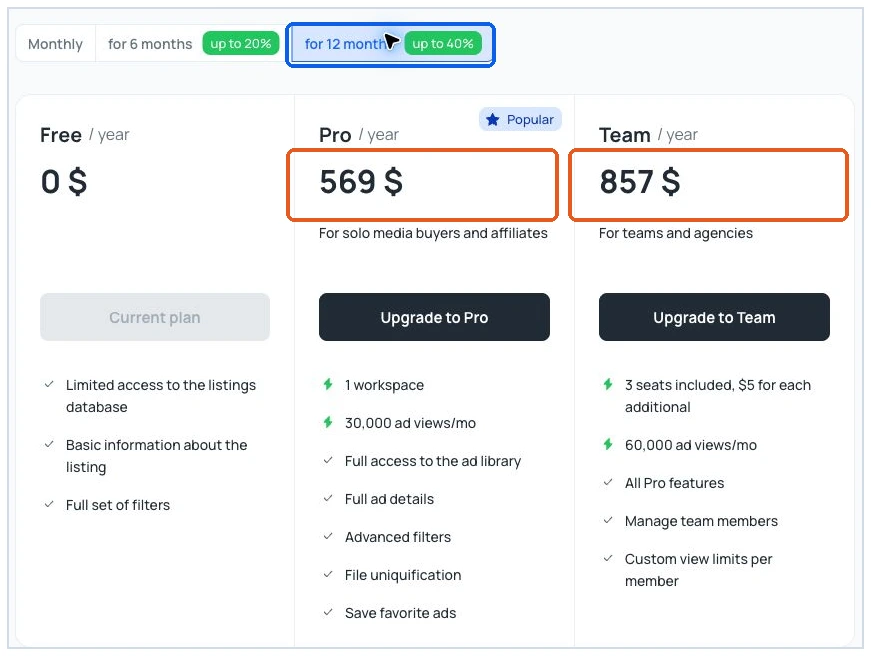
Figure 15. Annual billing in the tested account, with Pro at $569 and Team at $857.
TYVER Pros and Cons
Pros
- Game, provider, type, and angle filters narrow iGaming feeds
- GEO, age, format, CTA, and URL fields support focused research
- Ad cards link to Meta's Ad Library for source checks
- Webmasters clusters technical IDs; paid API supports repeat queries
Cons
- No spend, FTD, CPA, or ROI data
- Free blocks: Similar ads and Webmasters domain lists
- EU demographics did not apply to the tested US ad
- Webmasters is beta; Meta only; paid media output untested
Verdict: Is TYVER Worth It for iGaming?
For a solo iGaming buyer on Facebook or Instagram, Free is a sensible fit check: the account should show current ads for one real game and GEO. Pro becomes useful when full ad details, related-ad research, Favorites, or media tools are needed regularly. The team adds seats and a larger shared view allowance.
TYVER earns its place in a Meta iGaming research stack as an ad spy tool for finding creative angles and tracing published campaigns. It does not replace the buyer’s own tracker, attribution data, or campaign tests. The decision to pay should follow the relevance of the ads found and the frequency of the research workflow. To check ad coverage for your own game and GEO, start with a free TYVER account.
TYVER FAQ
Who benefits most from TYVER?

Does a long-running ad prove a profitable campaign?
What can the Free plan verify?
How do Exact and Broad search differ?
What do Pro and Team add?

Have you enjoyed the review?
Micva
5.0
One of the best tools for spy ads, even recently. My team and I have been using this solution for half a year now, and it’s hard to put into words just how much useful information we’ve found here…soo thanks to the developers!!